Wauvel now posts your reports to Slack
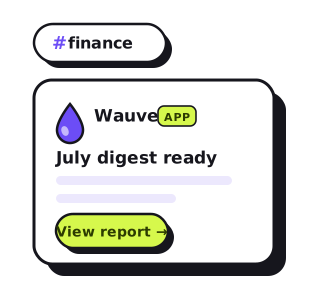
A report you have to remember to open is a report you'll skip. It sits in your inbox under twelve other things, and by the third week of the month the habit is quietly gone. Meanwhile your team is somewhere else all day — in Slack.
So we brought the numbers to where you already are. Wauvel now posts straight to Slack. Connect a channel once, and your monthly report, your daily or weekly digest, and any cash alerts land right in the conversation — no inbox archaeology required.
What lands in your channel
Connecting Slack gives you a live line to your finances, not a firehose. You choose what posts and how often; here's the menu:
- Report-ready pings. When your monthly review finishes, a tidy card drops in the channel with the headline and a link straight to the full report.
- Daily or weekly digests. A short pulse of your live QuickBooks numbers — cash on hand and the change since yesterday, money in and out, invoices, A/R and A/P aging, and runway.
- Alerts that actually matter. Set a low-cash floor, a runway threshold, or an “past due” trip wire, and Wauvel pings the channel only on the days something crosses it. Quiet days stay quiet.
- The “so what,” not just the numbers. A one-line plain-English read rides on top of the figures — the same voice as your report, in the channel.
How to connect Slack
It takes about thirty seconds and never touches your Slack password. From your Wauvel account:
- Open Integrations and click Add to Slack.
- Sign in through Slack and pick the one channel where posts should land.
- Back in Wauvel, hit Send a test to confirm the wiring end to end.
New to Wauvel? Connecting Slack is now an optional step right in the setup wizard, so you can wire it up the moment you sign on.
Free · no account · no card
Get your 2027 budget built from your QuickBooks — P&L, balance sheet and cash flow, in Excel.
What Wauvel can and can't do in Slack
The connection is deliberately narrow. Wauvel uses Slack's incoming-webhook — a write-only key to the single channel you picked — so the permissions are easy to reason about:
- One channel, write-only. We can post to the channel you chose, and nothing else.
- We can't read your messages. No message history, no other channels, no DMs — the app has no ability to look at anything in your workspace.
- Yours to cut. Disconnect from the Integrations page anytime, or remove the webhook from your Slack workspace directly.
Choose when it shows up
Slack is a delivery channel, not a fixed schedule — you decide the cadence. Send the full monthly review when your books close, a lighter digest every morning or every Monday, or a custom rhythm of your own. Pick email, Slack, or both, and flip on alert-only if you'd rather stay quiet until a number needs you. You set all of it on the Reports page.
Need your financials for a lender, a buyer or your accountant? Get the free financials pack →
See what an AI CFO says about your own numbers.
$99/mo, everything included. Free for 14 days, no card.