Your QuickBooks numbers, live in Excel — free
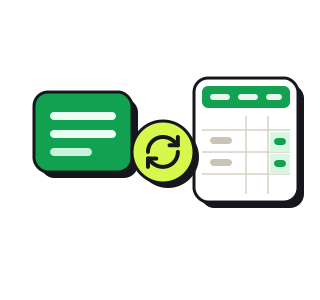
We've written about the three layers of a CFO — reporting, forecasting, and the thinking that turns both into a decision. There's a step underneath all of it that every owner does and nobody counts: getting clean, current numbers out of QuickBooks and into a sheet you can actually work in. Call it layer zero — the raw data. Not the read on the data; the data itself, in a form you can touch.
Why "Export to Excel" isn't it
QuickBooks will hand you a spreadsheet, technically. It's a dead snapshot — frozen the second you click, formatted like a tax form, and stale by the time you've widened the columns. So every month you re-export, re-paste, re-format, and rebuild the same workbook by hand. That isn't analysis. It's data entry you're doing to your own data.
What we built
Connect QuickBooks once and your P&L, balance sheet, and cash flow flow into a clean, branded Excel workbook — your statements, the same period as your report, current the moment you download it. The plumbing runs itself; you open a workbook that's already clean and already readable.
- Connect once. Sign in with Intuit; the workbook pulls straight from your books — no exports, no uploads.
- Always a click from current. Download a fresh workbook anytime — the numbers update, never your formatting.
- Ready to work in. A clean layout, the three statements where you expect them.
From sign-up to a live sheet, step by step
Start to finish it's a few minutes, and you only do most of it once:
- 1. Create a free Wauvel account. No card. Sign up and you're in.
- 2. Open Company → Integrations. It's in the app sidebar.
- 3. Connect QuickBooks. Sign in with Intuit and pick your company. The connection is encrypted, and we only ever read — your QuickBooks password never touches Wauvel, and you can disconnect anytime.
- 4. Click "Get my live spreadsheet." That mints a private link to your figures — only you have it, and you can revoke it in one click if it ever leaks.
- 5. Choose your tabs and download. Tick what you want in the workbook — transaction detail; trends (P&L, balance sheet, and cash flow by month); chart of accounts; A/R & A/P aging (a Read me tab comes free) — then download. It's current as of download; grab a fresh copy anytime for updated numbers.
That's the whole thing — a clean, current workbook a click away whenever you need it. No exports, no pasting, no reformatting, ever again.
Free · no account · no card
Get your 2027 budget built from your QuickBooks — P&L, balance sheet and cash flow, in Excel.
The honest part
Layer zero is a commodity, and we're not going to pretend otherwise — so we're not charging for it. It's free. The point of getting your data out cleanly was never the data; it's everything you can finally do once it isn't a chore. Trustworthy numbers, in seconds, are the floor the whole stack stands on — you can't forecast, or even report, on books you can't get to.
Then go up a layer
A live sheet tells you what's there. The monthly report — layer one, Wauvel CFO — tells you what it means: the three vital signs up front, every line set against the same month a year ago, and the one sentence that says what the month actually did. The data is the start. The read is the point.
Need your financials for a lender, a buyer or your accountant? Get the free financials pack →
See what an AI CFO says about your own numbers.
$99/mo, everything included. Free for 14 days, no card.