Wauvel now reads your Shopify sales — meet your Sales Analyst
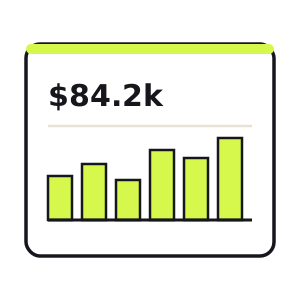
Your books tell you what happened to the money — revenue booked, cash in, margin left over. Your store tells you something different: what's happening with your customers, right now, before it ever lands in an accounting report. Until today, Wauvel only read the first one.
That changes now. Wauvel can read your Shopify sales — and it comes with a new teammate. Meet your Sales Analyst: connect a store once, and a Sales section shows up on your Command Center with the numbers that tell you how the business is actually selling.
What you get on the Command Center
Connect a store and a new Sales section appears on your dashboard, sitting right alongside cash, P&L, and your working capital. At a glance:
Net sales
$84.2k
+12.4% vs. prior period
Orders
1,214
+8.1% vs. prior period
Avg. order value
$69
+4.0% vs. prior period
- Net sales for the period, so you see the top line the way your store reports it.
- Order count and average order value — the two levers behind that number, split out.
- Period-over-period growth, so a good week reads as a good week without you doing the math.
- A weekly sales trend, so you can see the shape of demand — not just today's total.
Read-only, and yours to cut
The connection runs over Shopify's official “Add to Shopify” sign-in, and it is strictly read-only: Wauvel reads your orders and products to analyze sales, and that's the whole grant. It can never move money, change a price, touch an order, or edit anything in your store. Disconnect anytime from the Integrations page and the access is gone.
Free · no account · no card
Get your 2027 budget built from your QuickBooks — P&L, balance sheet and cash flow, in Excel.
The first of a family
Here's the part I'm most excited about. The Sales Analyst isn't really a “Shopify feature” — it's source-agnostic. Shopify is simply the first channel plugged into it. Stripe, Faire, and other places your sales actually happen will feed the same Sales view over time, so the Analyst sees your whole top line instead of one slice of it.
And it sets up something bigger. Once Wauvel reads both where you sell and what your books say, it can put channel sales right next to your QuickBooks revenue — so you can see the gap between the two and, more importantly, explain it. If you've ever wondered why the number in Shopify never quite matches the number in your P&L, that's the reconciliation we walk through in Shopify sales vs. QuickBooks revenue. Reading both sources is the first step to closing that loop for you.
Wauvel started as an AI CFO reading your books. The Sales Analyst is the first teammate that reads where your sales actually happen — and if you want to see what those numbers unlock, the unit economics behind a DTC order are exactly what we break down in the DTC unit economics guide. Solo and unfunded, shipping daily.
How to turn it on
It takes about a minute and never touches your Shopify password. From your Wauvel account:
- Open Integrations and click Add to Shopify.
- Sign in through Shopify and approve read-only access to your store.
- Head back to your Command Center — the new Sales section is already reading your latest orders.
Need your financials for a lender, a buyer or your accountant? Get the free financials pack →
See what an AI CFO says about your own numbers.
$99/mo, everything included. Free for 14 days, no card.