What's actually in your monthly report
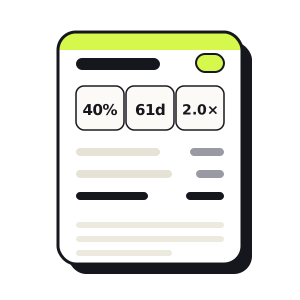
A Wauvel report isn't a dashboard you have to interpret. It's a written monthly review — the same sections a fractional CFO would walk you through, built automatically from your statements. This post opens one up and shows you every part of it.
Everything below runs on a sample business — Northwind Trading Co., a fictional wholesale distributor. The numbers are invented, but they go through the exact same engine your real ones would: a P&L and balance sheet in, every figure and ratio computed, then a plain-English read written on top. You can open the full, clickable version anytime as the sample report.
Getting your numbers in is the only manual step: upload a P&L and a balance sheet — exported from QuickBooks, Xero, or whatever you use — and optionally an A/R and A/P aging report to unlock the receivables section. From there, the report builds itself.
The headline metrics
The report opens with three numbers — the vital signs. Not the forty a finance team could compute; the three that tell you the most in five seconds: are you making money, how fast do you get paid, and can you cover what's due.
Gross margin
40.0%
Steady — COGS held at 60% of sales
Days to get paid
61days
Longer than a year ago
Current ratio
1.99×
Down from 3.08 a year ago
Your profit & loss
Then the P&L — totaled, with every line shown as a percent of revenue so the shape of the business is obvious at a glance.
| Line | Amount | % of revenue |
|---|---|---|
| Revenue | $5,730,000 | 100.0% |
| Cost of goods sold | −$3,440,000 | 60.0% |
| Gross profit | $2,290,000 | 40.0% |
| Operating expenses | −$1,830,000 | 32.0% |
| Operating income | $460,000 | 8.0% |
| Interest expense | −$62,000 | 1.1% |
| Net income | $398,000 | 6.9% |
Underneath sits a short written commentary — the difference between a number and a finding. Instead of "operating income $460,000," it reads: operating expenses grew slower than sales, so margin widened as the business scaled.
The balance sheet, against last year
A balance sheet read on its own tells you almost nothing — it's a single snapshot. So the report always sets it beside the same month a year ago and shows what moved.
| Account | This year | A year ago | Change |
|---|---|---|---|
| Cash & bank | $160,000 | $315,000 | −$155,000 |
| Accounts receivable | $650,000 | $430,000 | +$220,000 |
| Inventory | $760,000 | $450,000 | +$310,000 |
| Line of credit | $230,000 | $0 | +$230,000 |
| Accounts payable | $420,000 | $268,000 | +$152,000 |
| Retained earnings | $931,000 | $696,000 | +$235,000 |
This is the story the P&L can't tell you on its own: a profitable year that quietly drained the bank account. For the ten-minute version of this read, see How to read your balance sheet like a CFO.
The cash cycle
Next the report follows the cash itself: how much you have, how much is tied up waiting to be collected or sold, and how much you owe.
| Balance | Days | |
|---|---|---|
| Cash on hand | $160,000 | — |
| Accounts receivable | $650,000 | 61 days |
| Inventory | $760,000 | 119 days |
| Accounts payable | $420,000 | — |
| Net working capital | $804,000 | — |
Those day-counts are where the levers are. Inventory at 119 days is this report's headline problem: at about $6,400 of cost a day on the shelf, working it back to 90 days would free roughly $185,000 — more cash than the entire line of credit — without selling a thing differently. (For the full read on DSO, DIO, and the cash conversion cycle, see working capital explained.)
Who owes you, and who you owe
If you add an aging report, the review names names: which customers are behind, and by how long.
| Customer | Total owed | Past due |
|---|---|---|
| Cascade Outfitters | $155,000 | $91,000 |
| Summit Supply Group | $120,000 | $24,000 |
| Harbor & Main Hardware | $81,000 | $40,000 |
| Lakeshore Mercantile | $58,000 | $40,000 |
| + six more customers | $236,000 | $73,000 |
| Total receivables | $650,000 | $268,000 |
The payables side gets the same treatment — here it's $420,000 owed to vendors, but managed: nothing past 60 days. The report turns both into a short list of calls worth making this week.
Free · no account · no card
Get your 2027 budget built from your QuickBooks — P&L, balance sheet and cash flow, in Excel.
The executive summary
All of that rolls up into one paragraph at the top of the written analysis — the whole business in a few sentences, with the single most important line marked in lime.
Revenue is up about 30% and margins are widening — but the growth is being financed by the balance sheet, and cash is getting tight.
Over the period the business turned $5.73M of revenue into $2.29M of gross profit — a clean 40% margin — and $398K of net income. Yet cash still fell from $315K to $160K: growth tied money up in receivables and inventory faster than profit replaced it. The current ratio slipped from 3.08 to 1.99 — still solvent, but the cushion is thinning, and inventory is the biggest lever for pulling cash back out.
What to do about it
A read without a next step is just trivia. So the report ends with specific, dollar-quantified moves — ranked, and tied to the numbers above.
- Work inventory down from 119 days. Getting to 90 frees about $185,000 — more than the line of credit.
- Pull receivables in from 61 days. Every day is roughly $10,600; tightening to 50 releases about $120,000.
- Have the financing conversation now. The line of credit went from $0 to $230,000 — lock in terms from a position of strength.
- Protect the 40% gross margin. Re-quote your top suppliers while growing volume gives you leverage.
Questions for your next conversation
And because the point is to make you the sharpest person in the room, the report drafts the questions worth raising — with your accountant, your partner, or your team:
- Inventory has grown to $760K — about 119 days on the shelf. Which SKUs are slowest, and what would it take to get back toward 90?
- Cash fell from $315K to $160K while we were profitable. Are we comfortable with that trajectory, or do we slow the build?
- The line of credit went from $0 to $230K. What's the payback plan, and should we resize the facility while we're strong?
Talk to your AI CFO
Finally, the report is something you can talk to. Ask it anything about your own numbers and it answers from your report only — no generic web advice, no made-up figures.
The conversation is unlimited on every report with Wauvel CFO — see it on the pricing page.
Need your financials for a lender, a buyer or your accountant? Get the free financials pack →
See what an AI CFO says about your own numbers.
$99/mo, everything included. Free for 14 days, no card.