Garbage in, garbage out: keeping your QuickBooks clean
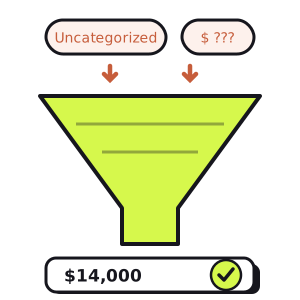
There's a phrase that's been around computing since the 1950s and has never once stopped being true: garbage in, garbage out. A system can only be as good as the data you feed it. Point the sharpest analysis in the world at sloppy books and it will hand you back a sharp, confident, completely wrong answer.
In a business, that system is your accounting file — almost always QuickBooks. Your income statement, your margins, your cash forecast, the number you quote an investor, the decision to make a hire: every one of them is built on the transactions sitting in QBO right now. If those are messy, everything downstream inherits the mess. So the highest-leverage finance work most owners can do isn't a fancier report — it's clean books underneath the plain one.
Why bad data is worse than no data
A missing number makes you cautious. A wrong number makes you bold in the wrong direction — which is far more expensive. If you know your books aren't reconciled, you double-check before you commit. But if QuickBooks confidently reports $46,000 of profit that isn't real, you hire, you spend, you distribute — and you find out months later, when the cash never showed up to back it.
| Messy books | Clean books | |
|---|---|---|
| Revenue | $212,000 | $198,000 |
| Cost of goods sold | −$96,000 | −$96,000 |
| Operating expenses | −$70,000 | −$88,000 |
| Net income | $46,000 | $14,000 |
Same business, same month — a $32,000 swing, and one of these numbers is going to drive a decision. This is why "the books are basically fine" is a dangerous place to operate from. The good news: keeping them genuinely fine is a short, repeatable list.
Reconcile every account, every month
This is the one non-negotiable, the habit everything else leans on. Reconciling means matching QuickBooks against the actual bank and credit-card statements, line by line, until the ending balances agree to the penny. It's the only thing that ties your books to reality instead of to what someone thought happened.
An unreconciled account is a book that's quietly drifting: a missed transaction here, a duplicate there, and within a quarter the balance in QBO has nothing to do with the money in the bank. Reconcile monthly (Gear → Reconcile) and errors surface while they're one line and one minute to fix — not a forensic archaeology project at year-end. If an account won't reconcile, that difference is the garbage, pointing right at itself.
Give every transaction a home — and kill the junk drawers
A transaction that isn't categorized, or is dumped into a catch-all, is data you can't trust. Two junk drawers do the most damage in QuickBooks:
- Uncategorized Income / Expense. QBO's default landing spot for anything it couldn't place. A big balance here means real revenue and real costs aren't showing up on the right P&L lines — so every margin above is wrong.
- "Ask My Accountant." Fine as a temporary parking spot, dangerous as a permanent one. If it isn't emptied every month, it's just deferred garbage.
The fix is two habits. First, use bank rules to auto-categorize the recurring stuff (the same vendor should land in the same account every time, not wherever it's dragged that week) — consistency is what makes month-over-month comparisons mean anything. Second, keep a lean chart of accounts. A hundred overlapping expense categories isn't precision; it's just more places for the same cost to get split inconsistently. Fewer, well-defined accounts get coded right far more often.
Match, don't add: the duplicate trap
Here's the most common way clean-looking books go wrong. You invoice a customer, so the income is already recorded. Then the payment lands in the bank feed, and in the For Review tab it's tempting to just click Add. Now you've booked the same income twice — once from the invoice, once from the deposit — and the invoice still shows as unpaid in A/R.
The rule: from the bank feed, Match to the transaction that already exists; only Add when it's genuinely new. Matching links the deposit to the invoice, clears the receivable, and keeps income counted once. Its close cousin is the Undeposited Funds account — where received payments wait to be grouped into a deposit. Payments that get stranded there and never matched to a real bank deposit overstate your income and leave phantom cash on the balance sheet. A recurring balance in Undeposited Funds that never clears is a classic source of the "messy books" profit in the table above.
Free · no account · no card
Get your 2027 budget built from your QuickBooks — P&L, balance sheet and cash flow, in Excel.
Clear the stragglers: A/R, A/P, and Opening Balance Equity
Old, uncleared items rot quietly. Run your A/R and A/P aging and look for the impossibilities: an invoice from fourteen months ago still marked open (was it actually paid, and applied to the wrong thing?), a bill you know you settled still sitting in payables. Each one distorts what you're owed and what you owe — and quietly misstates income when a payment was received but never applied to its invoice.
Then check one account almost nobody watches: Opening Balance Equity. QuickBooks uses it as a temporary holding account when you set things up or enter an opening balance. In a healthy file it should be zero — its whole job is to be cleared out to the right equity accounts. A lingering balance there is a neon sign that something was set up in a hurry and never squared away.
Close the books so history stops moving
You reconcile January, you trust January — and then in March someone edits a January transaction and your closed month silently changes underneath you. Now the report you already sent the bank doesn't match the books. The fix is one setting: set a closing date (Account and Settings → Advanced → Close the books) once a period is reconciled, ideally with a password. It freezes history so the past stays the past, and anyone who tries to change it gets a warning instead of silently rewriting your numbers.
Clean books make everything downstream honest
None of this is glamorous, and that's exactly why it's the edge: most owners skip it, then wonder why their reports feel off. Get it right and the payoff compounds. Your monthly numbers become comparable, so a trend is a real trend and not a coding artifact. Your cash forecast starts from a true balance instead of a fictional one. And when you sit down to read your income statement like a CFO, you're reading the business — not the bookkeeping mistakes.
It's the same principle as cleaning messy data in a spreadsheet, one level up the stack: there you normalize the data before you analyze it; here you keep the source clean so it never becomes garbage in the first place. Both come down to the same discipline — trustworthy inputs are the whole game.
Need your financials for a lender, a buyer or your accountant? Get the free financials pack →
See what an AI CFO says about your own numbers.
$99/mo, everything included. Free for 14 days, no card.